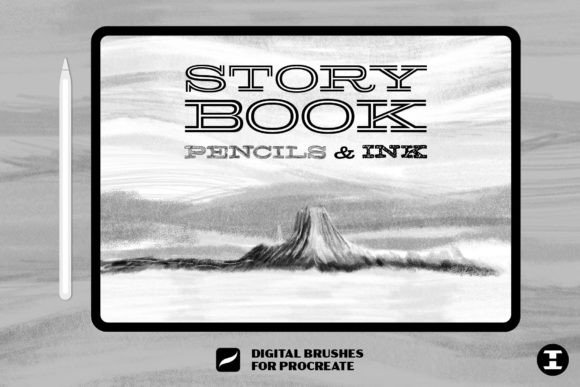
Storybook Pencils Ink Procreate Brush: A Review for Digital Illustrators
Every creative project requires a foundation, and for digital artists using the iPad, that foundation is often built with the right set of tools. The Storybook Pencils Ink Procreate Brush set positions itself as a comprehensive solution for illustrators who seek to bridge the gap between traditional media and digital workflows. This collection includes 25 distinct pencils and ink pens, designed specifically to replicate the tactile experience of analog drawing within the Procreate environment. Additionally, it features a specialized paper texture brush intended to add grain and realism to digital canvases. For artists evaluating whether this toolkit aligns with their artistic goals, understanding its specific capabilities, limitations, and ideal use cases is essential.
Understanding the Toolset
The core value proposition of the Storybook Pencils Ink Procreate Brush pack lies in its curation. Rather than offering hundreds of redundant options, this set focuses on 25 high-quality instruments. These include various grades of graphite pencils, charcoal-like implements, and precise ink pens. The inclusion of a dedicated paper texture brush is a significant differentiator. In digital art, achieving a "hand-drawn" aesthetic often requires more than just the right stroke; it demands the visual noise and imperfection of physical paper. This texture tool aims to provide that substrate digitally, allowing lines to interact with a simulated surface rather than floating on a sterile white background.
Artists interested in this set are typically those who feel constrained by the overly smooth, vector-like default brushes in many digital applications. They are looking for friction, variation, and organic irregularity. The promise here is not just about drawing lines, but about capturing the essence of sketching, storyboarding, and preliminary concept art where the human touch is paramount.
Benefits of an Analog-Style Digital Workflow
One of the primary advantages of using the Storybook Pencils Ink Procreate Brush set is the reduction of cognitive load during the sketching phase. When tools behave predictably and mimic real-world physics, artists can focus on composition and form rather than fighting against the software. The pencil variants in this set are engineered to respond to pressure and tilt, offering a dynamic range from faint, exploratory lines to bold, confident strokes. This responsiveness is crucial for maintaining the flow state during intensive illustration sessions.
Furthermore, the integrated paper texture offers a cohesive look. Instead of importing external textures and managing complex layer blending modes, users can apply a consistent grain across their work. This streamlines the workflow and ensures that the final output retains a unified aesthetic. For professionals delivering storyboards or concept art to clients who prefer a rougher, more iterative look, this authenticity can be a significant asset. It helps communicate ideas without the distraction of hyper-polished rendering, keeping the focus on narrative and structure.
Tradeoffs and Considerations
While the appeal of realistic textures is strong, there are tradeoffs to consider. Digital art’s greatest strength is its cleanliness and editability. By introducing heavy textures and analog-style imperfections, artists may find it more challenging to make clean adjustments later in the process. If the goal is a polished, commercial illustration with flat colors and sharp edges, these brushes may require additional masking or cleanup. The texture, while realistic, can sometimes interfere with color vibrancy if not managed correctly through layer opacity or blending settings.
Another consideration is the learning curve associated with mimicking traditional media. Artists accustomed to the precision of digital vectors may need time to adapt to the variability of these pencils. The "bleed" and grain effects that make the brushes look authentic can also feel unpredictable to users who prioritize total control. It is important to recognize that these tools are simulations; they will never perfectly replicate the physical resistance of graphite on toothy paper, but they aim to evoke the feeling effectively.
Ideal Use Cases
The Storybook Pencils Ink Procreate Brush set is particularly well-suited for specific stages of the artistic pipeline. It excels in concept art and storyboarding, where speed and expressiveness are valued over polish. Illustrators working in children’s books, editorial illustrations, or graphic novels will find the ink pens especially useful for creating line art that feels warm and inviting rather than mechanical. The variety in line weight and texture allows for dynamic character designs and environmental sketches that retain a hand-crafted charm.
Additionally, this set is beneficial for artists transitioning from traditional to digital media. Those who have spent years mastering charcoal or graphite may find the default digital tools alienating. This bridge toolkit provides a familiar sensory experience, easing the transition and allowing traditional skills to transfer more naturally to the iPad interface.
When to Consider Alternatives
Despite its strengths, this set may not be the optimal choice for every project. Artists focusing on technical illustration, UI/UX design, or hyper-realistic digital painting might find better utility in brushes designed for precision and smooth gradients. If your workflow relies heavily on clean line art that will be colored digitally with flat fills, simpler, non-textured brushes may offer greater efficiency. In such cases, the added complexity of managing paper textures could slow down production without adding proportional value.
Moreover, if you already possess a highly customized library of brushes that you have refined over years, integrating a new set may require significant adjustment. Evaluate whether the specific texture profile offered by this set complements your existing style or clashes with it. Some artists prefer to build their own texture overlays manually to maintain granular control over every aspect of the image’s surface quality.
Making the Decision
Choosing the right brush set is a subjective process that depends on your artistic identity and project requirements. To determine if the Storybook Pencils Ink Procreate Brush is right for you, consider your current pain points. Do you struggle with digital art looking too "clean" or sterile? Do you miss the tactile feedback of traditional sketching? If so, this set offers a targeted solution. However, if your priority is speed, precision, and a modern, sleek aesthetic, you may want to explore minimalist brush packs or stick to native Procreate defaults.
Ultimately, the value of this toolkit lies in its ability to inspire. By removing the barrier between the artist’s hand and the digital canvas, it encourages experimentation and spontaneity. For those ready to start their next epic tale with a tool that respects the tradition of drawing while leveraging the power of technology, this set provides a compelling, focused option. It is not merely a collection of files, but a curated experience designed to bring the warmth of analog storytelling into the digital age.