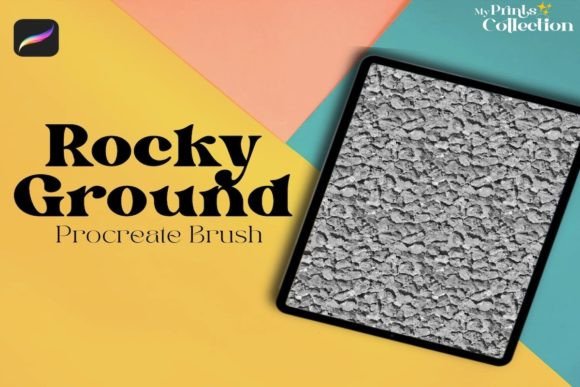
Rocky Ground Procreate Brush: Adding Grit and Texture to Digital Art
Digital art often suffers from a specific kind of sterility. The lines are too clean, the colors too flat, and the surfaces too perfect. For artists who want their work to feel lived-in, weathered, or grounded in reality, achieving that tactile sense of dirt, stone, and earth can be a frustrating challenge. This is where the Rocky Ground Procreate Brush steps in as an essential tool for bridging the gap between digital precision and organic imperfection. It is not just another texture overlay; it is a dynamic instrument designed to inject immediate character into your illustrations, concept art, and designs.
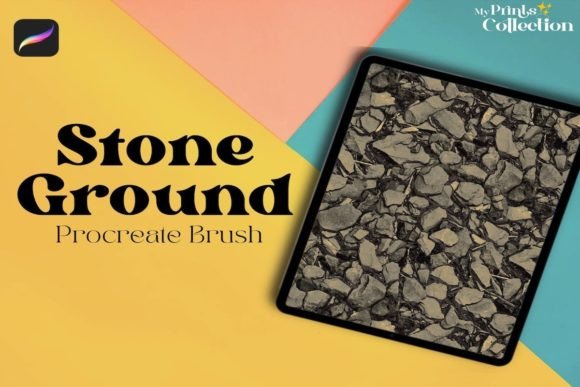
The core appeal of this single brush lies in its ability to generate a dirty or ground seamless pattern texture with minimal effort. Instead of spending hours manually painting individual pebbles, cracks, and dust motes, you can apply broad strokes that instantly convey the weight and roughness of natural terrain. Whether you are illustrating a fantasy landscape, designing a rugged product label, or adding atmospheric depth to a character portrait, this brush provides the foundational grit that makes digital pieces feel tangible.
Transforming Concept Art and Environment Design
For concept artists working in gaming or film, speed and clarity are paramount. When pitching an environment, you need to communicate the mood and materiality of a scene quickly. The Rocky Ground Procreate Brush excels in these high-pressure scenarios. Imagine you are sketching a post-apocalyptic cityscape. Rather than leaving the ground as a flat gray placeholder, a few swift passes with this brush can suggest cracked asphalt, accumulated debris, and dry earth. This immediate textural feedback helps stakeholders visualize the final render more accurately, even in the early sketch phases.
Moreover, environment designers often struggle with repetitive patterns when tiling textures. Because this brush creates a seamless pattern, it allows for endless expansion without visible seams breaking the immersion. You can paint a vast desert floor or a rocky mountain path, and the texture will flow naturally across the canvas. This consistency is crucial for maintaining visual coherence in large-scale compositions where the eye might wander across significant distances.
Elevating Character Illustrations and Portraits
While primarily designed for landscapes and surfaces, the utility of the Rocky Ground Procreate Brush extends surprisingly well into character work. Realism in portraiture often depends on skin texture and environmental interaction. A character who has been traveling through a wasteland should not have pristine, porcelain-like skin. Using this brush on a low opacity setting can add subtle grime, dust, or shadow variations to clothing and skin, grounding the character in their narrative context.
Consider a fantasy warrior clad in leather armor. Flat coloring can make the armor look like plastic. By applying the rocky ground texture selectively to the crevices and edges of the gear, you simulate wear and tear. It suggests that the armor has seen battle, scraped against stone walls, and collected dust from the road. This level of detail adds narrative depth without requiring complex rendering techniques, making it accessible for illustrators at various skill levels.
Practical Applications in Graphic Design and Branding
Beyond fine art and illustration, graphic designers are increasingly seeking ways to break away from the sleek, minimalist aesthetic that has dominated branding for the last decade. There is a growing trend toward rustic, authentic, and handcrafted visuals. The Rocky Ground Procreate Brush offers a quick way to introduce this organic feel into digital layouts. It is particularly effective for packaging design, poster art, and social media graphics that aim to evoke a sense of durability, nature, or heritage.
For example, a brand selling outdoor gear or artisanal coffee might use this texture as a background element to reinforce their connection to the earth. The dirty, ground-like pattern adds warmth and authenticity, contrasting nicely with clean typography. It prevents the design from feeling too corporate or sterile, creating an emotional connection with consumers who value craftsmanship and natural materials.
Technical Considerations and Compatibility
Before integrating this tool into your workflow, it is vital to understand its technical boundaries. The Rocky Ground Procreate Brush is engineered specifically for the iPad ecosystem. It requires Procreate App version 5 or higher to function correctly. This ensures that the brush leverages the latest rendering engines and pressure sensitivity features available in the software. Users with older versions of the app may experience glitches or find that the brush does not load at all.
It is equally important to note what this brush is not compatible with. It is not compatible with Photoshop, Illustrator, or other desktop-based design software. This limitation is due to the proprietary file format used by Procreate brushes. If your workflow relies heavily on Adobe Creative Cloud, you will need to export your textured layers as images and import them into those programs, rather than using the brush directly. This distinction is crucial for professionals who switch between tablets and desktops frequently.
Maximizing the Potential of the Brush
To get the most out of the Rocky Ground Procreate Brush, experimentation with layer modes is key. While the default stroke provides a solid texture, changing the layer blend mode to Multiply, Overlay, or Soft Light can integrate the texture more subtly with underlying colors. This technique allows you to preserve the hue and saturation of your base painting while adding the dimensional quality of the rocky ground pattern.
Additionally, varying the opacity and size of the brush can yield vastly different results. Large, low-opacity strokes are ideal for establishing atmospheric perspective and general surface tone. In contrast, smaller, high-opacity dabs can define specific areas of interest, such as a pile of rubble or a patch of dry mud. Combining this brush with standard blending tools can help soften harsh edges, ensuring the texture looks integrated rather than stamped on.
Another practical tip is to use the brush on separate layers. This non-destructive approach gives you the flexibility to adjust the intensity, color, or position of the texture later in the process. If you decide the ground looks too dirty, you can simply lower the layer opacity or erase specific areas without affecting the underlying artwork. This freedom encourages creative risk-taking, allowing you to push the texture further than you might if it were baked into the base layer.
Why Choose a Single Specialized Brush?
In an era of massive brush packs containing hundreds of mediocre tools, there is significant value in a highly specialized single brush like the Rocky Ground Procreate Brush. It eliminates the decision fatigue associated with scrolling through endless libraries. You know exactly what it does, and it does it well. For artists who prioritize efficiency and specific aesthetic outcomes, having a dedicated tool for ground textures streamlines the creative process.
This focus also means the brush has likely been refined to handle edge cases and performance issues better than generic alternatives. It is optimized for smooth performance on iPad hardware, ensuring that even on complex canvases with multiple layers, the brush response remains snappy and predictable. This reliability is essential for maintaining flow state during long drawing sessions.
Ultimately, the Rocky Ground Procreate Brush is more than just a texture generator; it is a catalyst for storytelling. By adding the visual language of dirt, rock, and earth, it helps artists anchor their digital creations in a sense of place and history. Whether you are building worlds, designing brands, or refining portraits, this tool offers a straightforward, effective way to add the gritty realism that makes digital art resonate with viewers on a deeper, more tactile level.