Bringing Vintage Charm to Digital Canvas with the Fiona Retro Procreate Lettering Brush
Digital art has come a long way from its sterile, vector-based beginnings. Today, creators crave texture, imperfection, and soul in their work. This is where the Fiona - Retro Procreate Lettering Brush steps in, bridging the gap between the tactile feel of analog tools and the convenience of iPad creation. For artists, designers, and hobbyists alike, finding a tool that mimics the organic flow of ink on paper without the mess is a game-changer. This brush set is not just another download; it is a curated solution for those who want their digital lines to breathe with a vintage aesthetic.
The core appeal of this tool lies in its pressure sensitivity. When you press down with your Apple Pencil, the line thickens naturally; lift slightly, and it tapers into a delicate hairline. This dynamic width variation is essential for hand lettering, bold illustrations, and expressive line art. Unlike standard digital pens that can feel rigid or uniform, Fiona offers the responsiveness needed for authentic calligraphy and stylized illustration. It transforms the iPad screen into a surface that feels responsive to your touch, allowing for a more intuitive creative process.
Why Two Versions Matter for Your Workflow
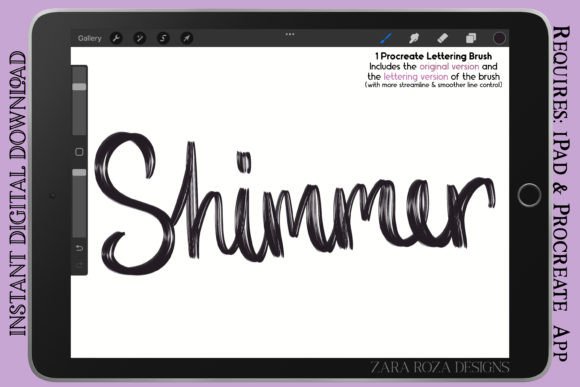
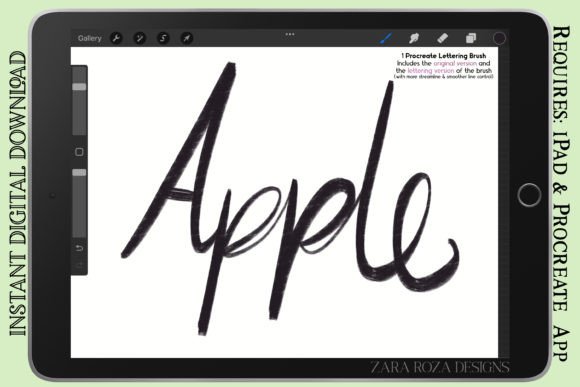
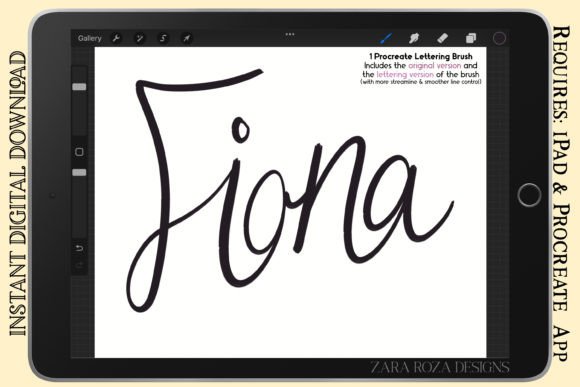
One size rarely fits all in creative work. Recognizing this, the Fiona brush set includes two distinct versions within the compressed .zip folder: the Original Version and the Lettering Version. Understanding the difference between these two can significantly impact your efficiency and final output.
The Original Version features regular line control. It is designed for versatility, making it an excellent choice for rough sketching, drawing cartoons, and creating comic digital art. The slight texture and resistance mimic the feel of a marker or liner pen on textured paper. This version is ideal when you want your lines to have character and a bit of grit. It works beautifully for manga outlines, chibi character art, and fashion sketches where a raw, energetic vibe is preferred over polished perfection.
In contrast, the Lettering Version offers more streamlined and precise line control. If you are focusing on hand lettering, calligraphy, or graphic design projects that require clean, smooth edges, this is your go-to. It reduces the noise found in the original version, providing a consistent flow that is crucial for legible typography and detailed portrait art. Whether you are drawing makeup charts for beauty brands or creating intricate doodles, the smooth line variant ensures that every curve and corner is rendered with clarity.
Real-World Applications for Creators and Entrepreneurs
So, where does this brush fit into your daily routine? The applications are vast, spanning personal hobbies to professional commercial work. Here is how different users can leverage the Fiona brush to enhance their projects.
- Social Media Content Creation: Bloggers and influencers often need eye-catching graphics for Instagram stories or Pinterest pins. Using the retro aesthetic of this brush, you can create custom quotes, headers, and decorative elements that stand out against stock photography. The vintage vibe adds warmth and personality to digital posts.
- Small Business Branding: If you run an Etsy shop or a boutique brand, your packaging and labels need to feel handmade. Use the brush to design logos, product tags, and thank-you cards. The organic lines convey authenticity, which resonates with customers looking for artisanal quality.
- Educational Materials: Teachers and educators can use the brush to create engaging worksheets, flashcards, and presentation slides. The hand-drawn look makes educational content feel less intimidating and more approachable for students of all ages.
- Fashion and Beauty Industry: Fashion illustrators can sketch quick concepts with the Original Version, capturing the flow of fabric with loose, expressive lines. Meanwhile, makeup artists can use the Lettering Version to draw precise makeup charts and face maps for clients, ensuring clear communication of looks and techniques.
Enhancing Specific Art Styles
The versatility of the Fiona brush extends across various artistic genres. For comic and manga artists, the ability to switch between rough sketching and clean inking within the same toolset streamlines the workflow. You can start with loose thumbnails using the Original Version and refine your panels with the Lettering Version, maintaining a cohesive visual style throughout the page.
For those interested in portrait art and anime, the pressure sensitivity allows for subtle shading and detailed eye work. The brush responds well to the nuances of the Apple Pencil, enabling artists to build up layers of depth without losing the crispness of the outline. This is particularly useful for chibi character art, where cute, rounded forms require smooth, confident strokes.
Graphic designers will appreciate the brush for adding human touches to otherwise rigid layouts. Incorporating hand-drawn arrows, underlines, or background textures can break up text-heavy designs and guide the viewer’s eye naturally. The retro aesthetic pairs well with modern minimalist trends, creating a balanced and stylish composition.
What to Consider Before Downloading
Before integrating the Fiona - Retro Procreate Lettering Brush into your library, there are a few practical considerations to keep in mind. First, ensure you are using the Procreate app on an iPad compatible with the Apple Pencil. While the brush file format is standard (.brush), the full experience relies on the hardware’s pressure sensitivity capabilities.
Second, think about your current project needs. If you primarily do vector-based logo design, this raster-based brush might not be your primary tool, though it is excellent for conceptualizing ideas. However, if your work involves illustration, lettering, or any form of hand-drawn digital art, this brush is a valuable asset.
Also, consider the learning curve. While the brush is designed to be intuitive, mastering pressure control takes practice. Spend time experimenting with both the regular and smooth versions to understand how they react to different speeds and angles. Adjusting your grip and stroke speed can yield vastly different results, from bold, dramatic lines to delicate, whisper-thin details.
Getting Started with Your New Tool
Once you download the compressed .zip folder, extracting the files is straightforward. You will find the .brush files ready to import directly into Procreate. Start by creating a new canvas and testing both versions side by side. Try writing your name, drawing a simple flower, and sketching a geometric shape. Notice how the Original Version adds texture and how the Lettering Version maintains clarity.
Integrate the brush into your existing workflow gradually. Use it for your next journal entry, social media post, or client project. Over time, you will develop a muscle memory that allows you to exploit the full potential of the tool. The goal is not just to use a new brush but to enhance your artistic voice with a tool that supports your vision.
In a digital world that often feels too perfect, the Fiona - Retro Procreate Lettering Brush offers a welcome return to humanity and imperfection. It empowers creators to produce work that feels genuine, warm, and engaging. Whether you are a seasoned illustrator or a beginner exploring digital art, this tool provides the flexibility and quality needed to bring your ideas to life with style and substance.