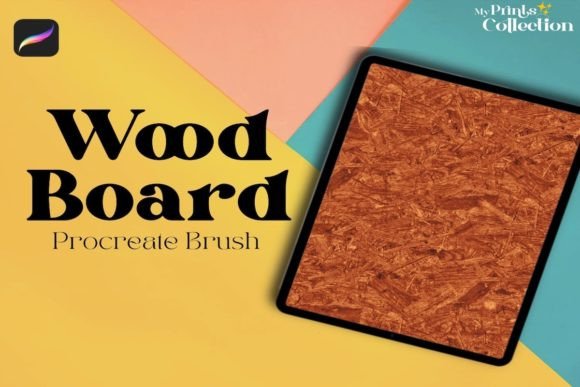
Wood Board Procreate Brush: Adding Authentic Texture to Digital Art
Digital art has come a long way from the sterile, perfectly smooth gradients of early software. Today’s illustrators, designers, and hobbyists are constantly chasing that elusive tactile quality—the grain, the imperfection, and the warmth that makes an image feel grounded in reality. This is where the Wood Board Procreate Brush steps in as a game-changer for iPad artists. It is not just another texture overlay; it is a specialized tool designed to seamlessly integrate woody patterns into your workflow, offering a level of authenticity that manual painting often struggles to achieve without hours of effort.
The core appeal of this brush lies in its ability to generate a seamless wooden pattern texture instantly. For artists who have ever spent twenty minutes trying to paint convincing wood grain only to have it look repetitive or artificial, this tool offers an immediate solution. It bridges the gap between digital precision and organic chaos, allowing you to focus on composition and lighting rather than getting bogged down in microscopic details.
Real-World Applications for Illustrators and Designers
Understanding the utility of the Wood Board Procreate Brush requires looking beyond simple background fills. Its versatility shines in various professional and creative scenarios where texture adds depth and narrative weight to a piece.
Product Visualization and Mockups
Graphic designers working on packaging concepts or product mockups often need to simulate real-world materials quickly. Imagine you are designing a label for a craft beer brand or a boutique coffee package. Using the Wood Board Procreate Brush, you can create realistic crate textures, wooden signage, or rustic table surfaces for your product placement shots. Instead of sourcing stock photos that may have licensing restrictions or inconsistent lighting, you generate the texture directly within your canvas. This ensures that the lighting direction and color palette remain consistent with the rest of your design, saving significant time in post-production adjustments.
Environmental Concept Art
For concept artists working in gaming or film, environment design relies heavily on material definition. A cabin in the woods, an old pirate ship deck, or a futuristic interior with reclaimed wood accents all require distinct wooden textures. The single brush allows for rapid iteration. You can block out large areas of wooden flooring or wall paneling in seconds, then use standard blending modes to adjust the tone. This speed is crucial during brainstorming sessions where directors or clients need to see multiple variations of a scene quickly. The seamless nature of the brush means you can tile it across massive canvases without visible seams breaking the immersion.
Hand-Lettering and Typography
Typography enthusiasts and hand-letterers often look for ways to make their text pop against busy backgrounds or stand alone as artistic pieces. Applying a wood texture to lettering can evoke feelings of craftsmanship, heritage, or ruggedness. By using the brush on a separate layer clipped to your text layer, you can give your letters a carved or stained appearance. This is particularly effective for logos targeting outdoor brands, artisanal shops, or vintage-themed events. The texture adds a layer of sophistication that flat colors simply cannot match, making the typography feel like a physical object rather than a digital arrangement.
Who Benefits Most from This Tool?
While any Procreate user can enjoy adding texture, specific groups will find the Wood Board Procreate Brush indispensable for their daily workflows.
- Surface Pattern Designers: Those creating prints for textiles, wallpapers, or stationery need seamless repeats. This brush provides a high-quality base that can be manipulated into complex patterns without the worry of edge mismatches.
- Social Media Content Creators: Influencers and small business owners often create their own graphics. Adding a warm, wooden background to quote cards or product announcements creates a cozy, inviting aesthetic that performs well on platforms like Instagram and Pinterest.
- Digital Planners and Journalers: The rise of digital planning has created a demand for realistic stickers and backgrounds. Users can create faux-wooden tabs, dividers, or desk backgrounds that mimic the feel of a physical bullet journal, enhancing the user experience through visual familiarity.
Technical Considerations and Compatibility
Before integrating this tool into your library, it is essential to understand the technical requirements to ensure a smooth experience. The Wood Board Procreate Brush is built specifically for the Procreate ecosystem. It requires Procreate App version 5 or higher. This version requirement is critical because earlier versions lack the advanced brush engine capabilities needed to render the seamless texture logic correctly.
A common misconception among new digital artists is that brushes are universally compatible across all design software. It is important to note that this brush is not compatible with Photoshop or Illustrator. While Adobe products have their own robust texture libraries, the file format and brush dynamics used here are exclusive to Procreate’s .brushset structure. Attempting to import it into other software will result in errors or non-functional tools. Therefore, this resource is best suited for artists who have fully committed to the iPad and Procreate workflow.
Maximizing the Potential of Your Wood Textures
Owning the brush is only the first step; knowing how to manipulate it unlocks its true value. Because the brush creates a seamless pattern, it behaves differently than standard stamp brushes. Here are some practical observations on how to get the most out of it:
Layer Blending Modes are Key. Rarely will you want to use the wood texture at 100% opacity on its own layer. Experiment with blending modes like Multiply, Overlay, or Soft Light. Multiply works wonders for darkening areas and adding grain to shadows, while Overlay can enhance contrast and make the grain pop against mid-tones. This flexibility allows you to apply the wood effect over existing colors without completely obscuring your underlying artwork.
Color Adjustment Flexibility. Since the brush generates a pattern, you can easily change its hue and saturation using Procreate’s adjustment tools. Want a bleached driftwood look? Desaturate and brighten. Need a rich mahogany finish? Shift the hue toward reds and deepen the blacks. This adaptability means one brush can serve dozens of different stylistic needs, reducing the clutter in your brush library.
Combining with Other Elements. The wood texture serves as an excellent foundation for further detailing. Once you have laid down the base wood pattern, you can use standard sketching brushes to add knots, cracks, or nail holes. This hybrid approach—using a procedural-style brush for the base and hand-drawn elements for unique features—creates the most convincing results. It saves time on the repetitive parts while allowing your artistic touch to define the character of the piece.
Limitations and Best Practices
While powerful, the Wood Board Procreate Brush is not a magic wand for every situation. It excels at creating uniform wooden surfaces but may require additional work if you need highly specific, irregular wood types like gnarled oak burls or weathered barn wood with peeling paint. In such cases, use the brush as a base layer and paint over it with custom brushes to break up the uniformity.
Additionally, because it is a single brush focused on one type of texture, it should be viewed as part of a larger toolkit. It does not replace the need for understanding light and shadow. A wood texture applied flatly will still look digital if the lighting in your scene does not match the implied depth of the grain. Always consider the light source when applying these textures to ensure they integrate naturally into your composition.
Ultimately, this tool is about efficiency and aesthetic enhancement. It removes the technical barrier of creating complex textures manually, freeing you to focus on the creative decisions that truly matter. Whether you are designing a logo, illustrating a children’s book, or crafting social media content, the ability to instantly invoke the warmth and reliability of wood can elevate your digital art from good to genuinely engaging.